Product 01 · Version 1.0.2

CurvEngine

Put still worlds in motion.

Motion blur for backplates & HDR panoramas

Shape the flow of a road. Carry it around a panorama. Turn a still image into motion blur you control.

14-day trial · No credit card needed · Buy once for US$149 introductory · No subscription

Backplates 360° HDR panoramas PNG · HDR · EXR Local image processing Windows x64 14-day trial
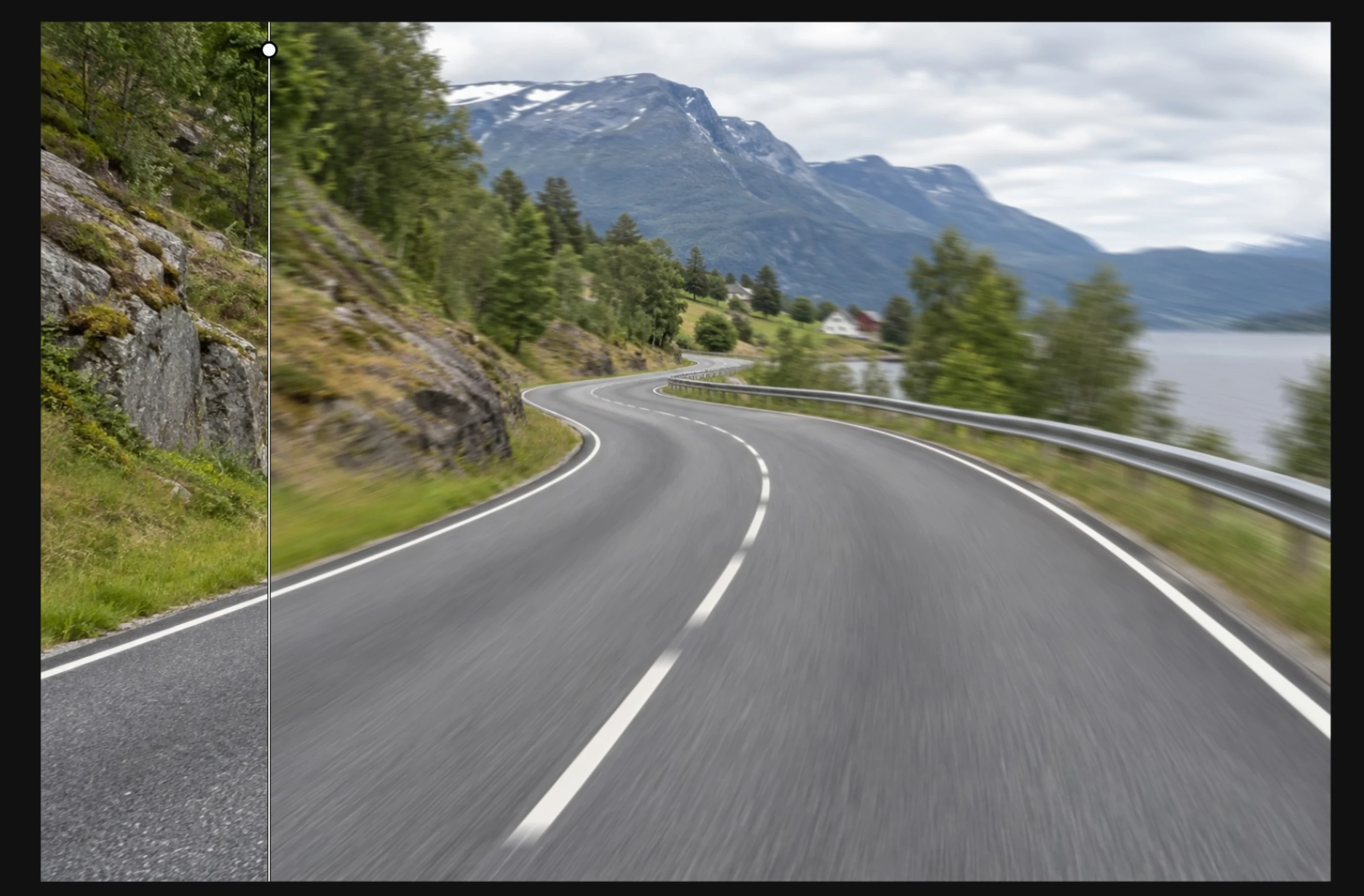
CurvEngine · Backplate comparison Still image → shaped motion
CurvEngine's before-and-after view: a sharp mountain road on the left and directional motion blur on the right
Left · Original still Curved guides · Controlled blur Right · Motion result

01 — Shape the motion

Follow the road.Find your flow.

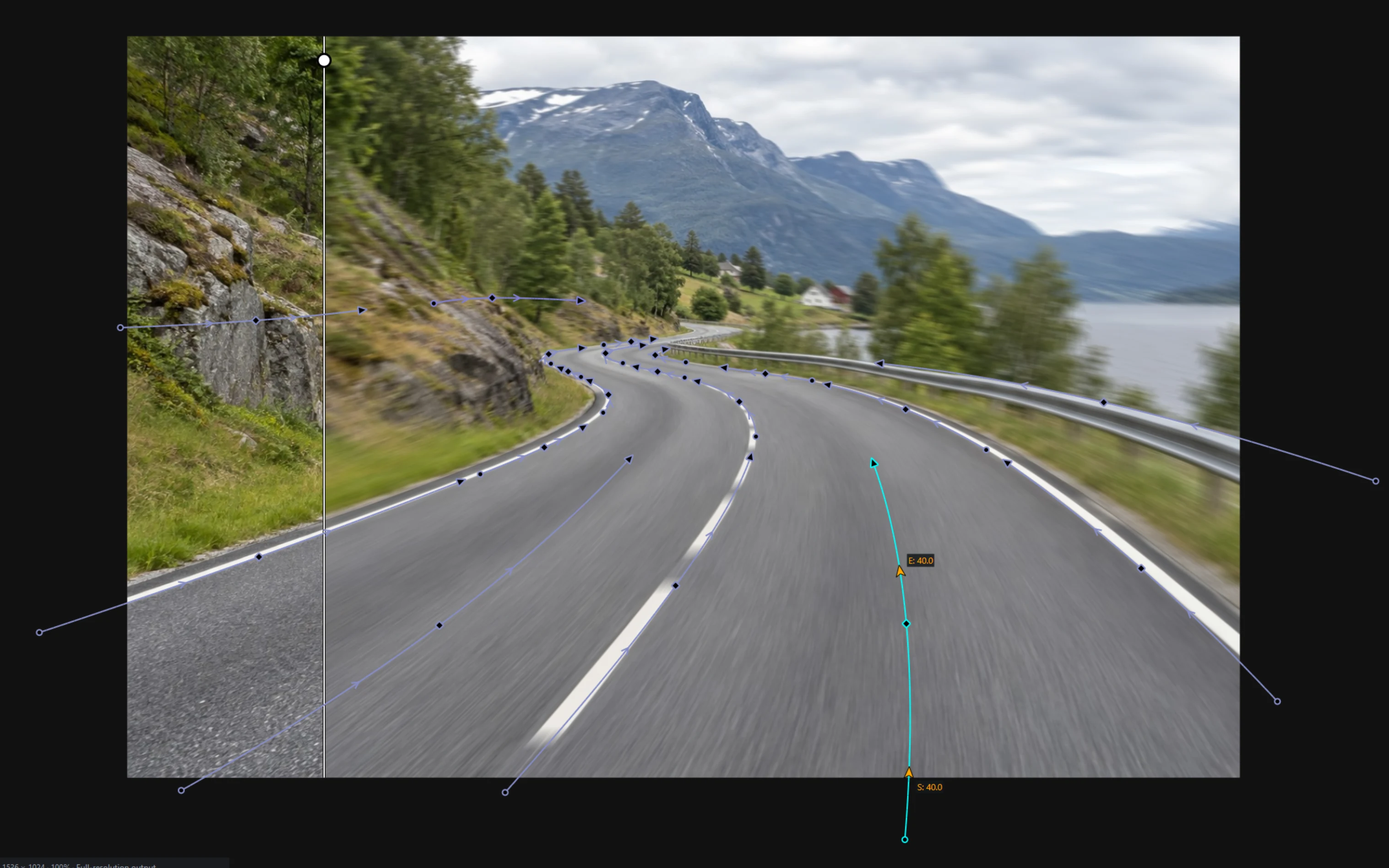
Draw curved Blurrer guides through the image. Bend their paths and adjust the start and end strength to direct the blur where the shot needs it.

Compare the result with the original, refine the guides, and export. Keep a vehicle separate with the car overlay workflow while you shape the background.

Blurrer guides · Editable paths Start & end strength
Curved motion guides following the road and surrounding landscape in CurvEngine
Editable paths Independent start and end strengths Direct before-and-after view
  1. 01 / OpenStart with a still.Load a backplate or HDR panorama into the same workspace.
  2. 02 / ShapeGive the image direction.Place and bend guides. Tune their strength while checking the preview.
  3. 03 / ExportTake it into your scene.Save a PNG, or retain high dynamic range with HDR and EXR output.

02 — Beyond the backplate

HDR panorama blur.In a few clicks.

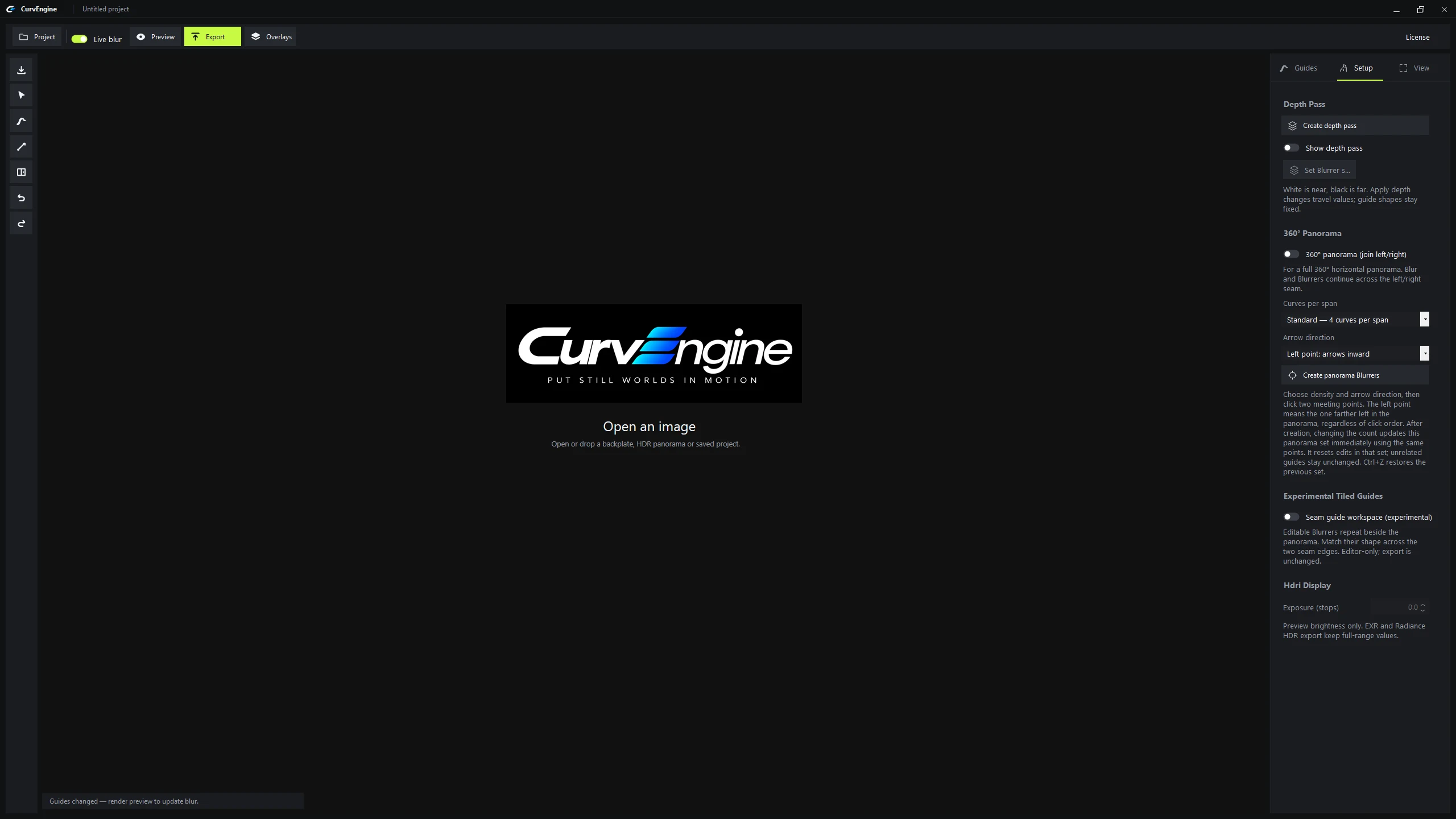
Load your HDR panorama, set the motion, and export for your scene. A straightforward workflow, with guides and blur that continue across the left and right seam.

Work with full-range HDR data and export it for your rendering workflow. Exposure controls affect the on-screen preview; HDR and EXR exports retain high dynamic range.

CurvEngine panorama workflow 1 min 16 sec · Recorded in the app
360° HDR panorama Guides continue across the seam HDR · EXR export

See the difference

A panorama.
A different sense of speed.

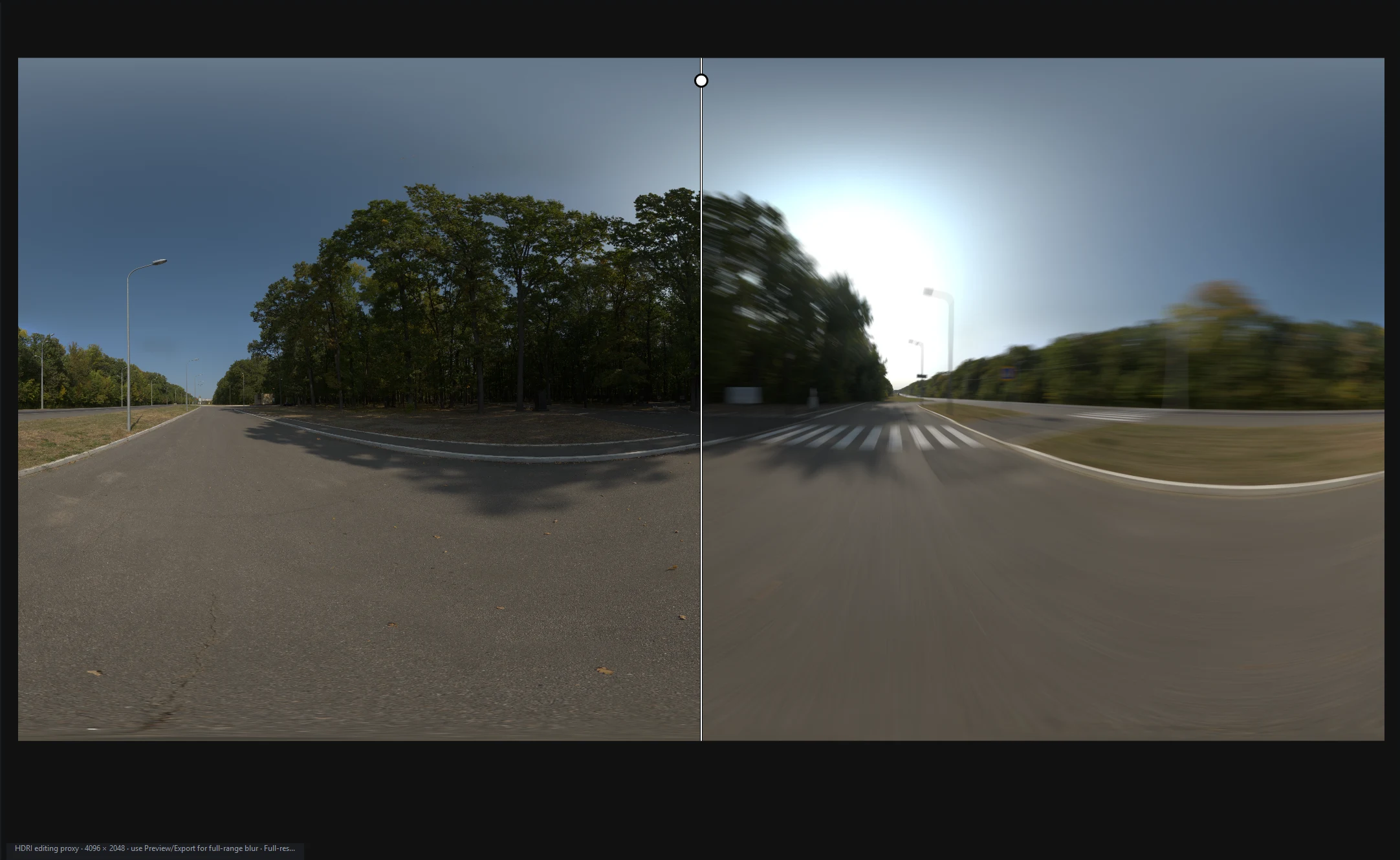
The app's comparison view shows the original alongside the motion result.

Comparison view Original · Motion
Original HDR panorama on the left and its motion-blurred result on the right

03 — In the frame

Different scenes.The same sense of speed.

From a sweeping road to a city street, see how a still scene changes when motion follows its surroundings. Each comparison shows the original on the left and the CurvEngine result on the right.

01 / Road backplateCurved motion
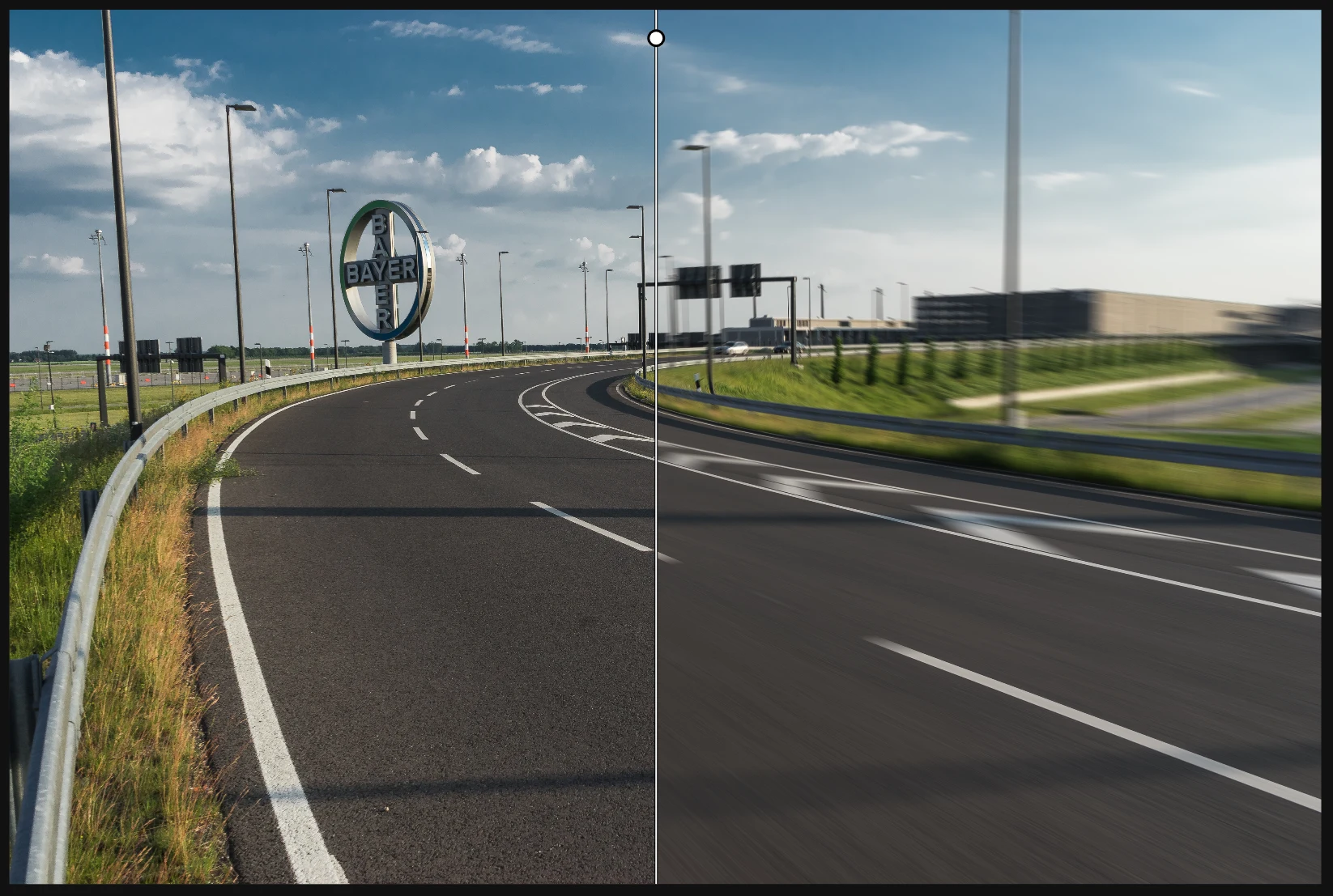
Road backplate comparison: sharp road, guardrail and surroundings on the left; CurvEngine motion blur on the right
Left / OriginalRight / CurvEngine result

Follow the curve.

Road markings and the guardrail make the change from a still frame to flowing motion easy to see.

02 / Urban panoramaCity motion
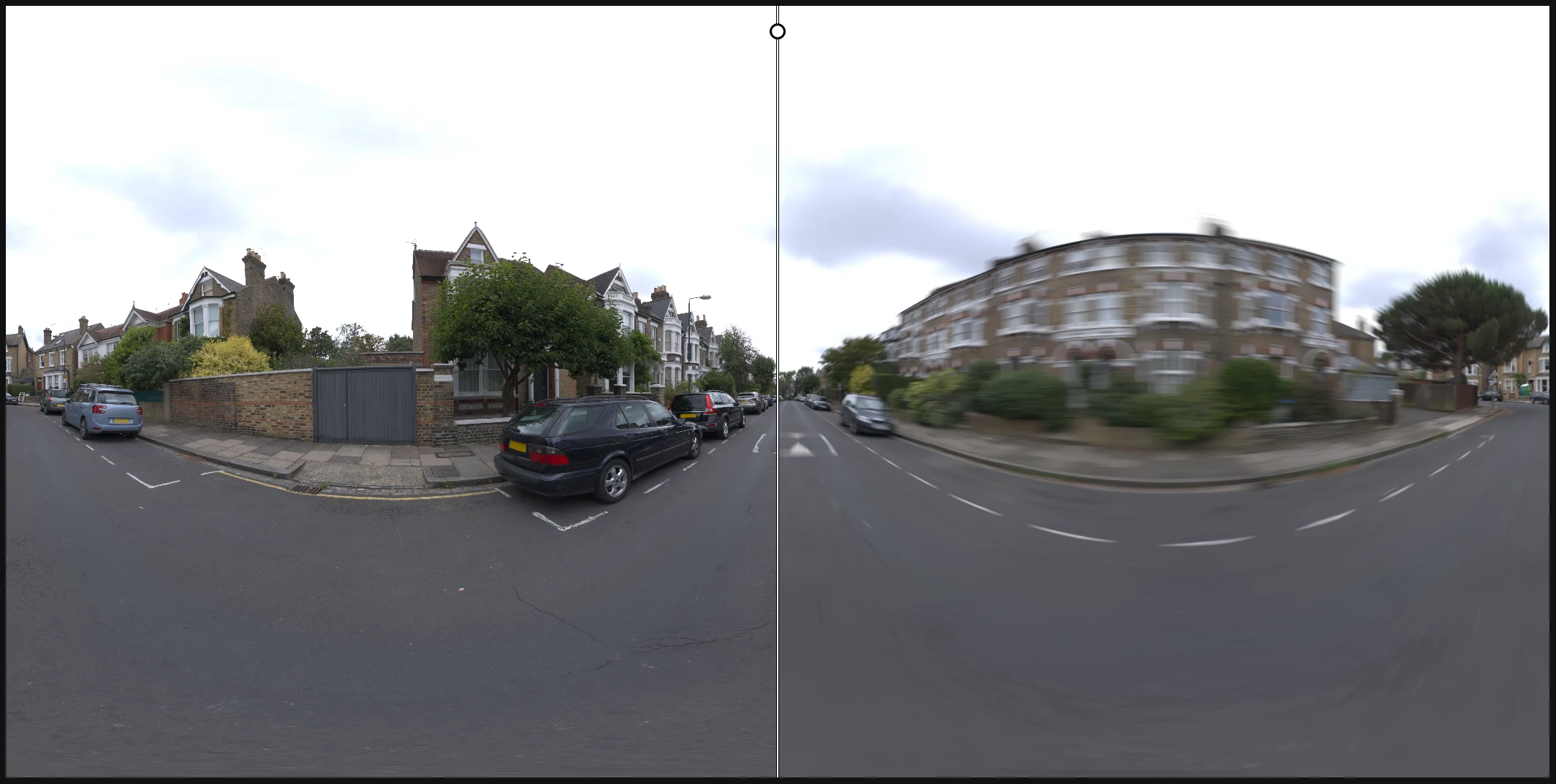
Urban panorama comparison: sharp houses, cars and street on the left; CurvEngine motion blur on the right
Left / OriginalRight / CurvEngine result

Carry it through the city.

Buildings, parked cars and the street show the effect across a different kind of panorama.

Your images. Your direction.Try it with your own scene →

04 — The workspace

One focused tool.Room to work.

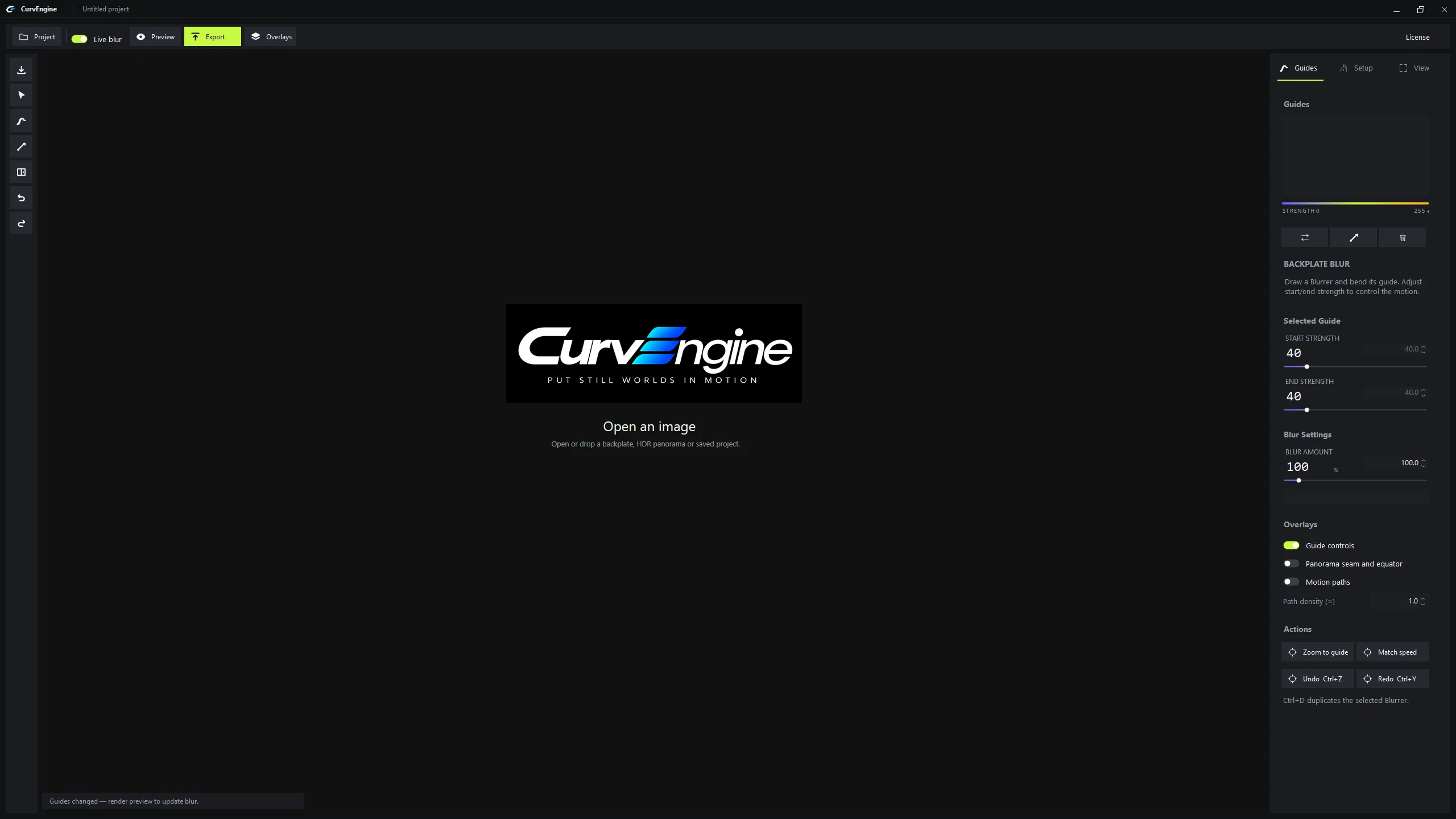
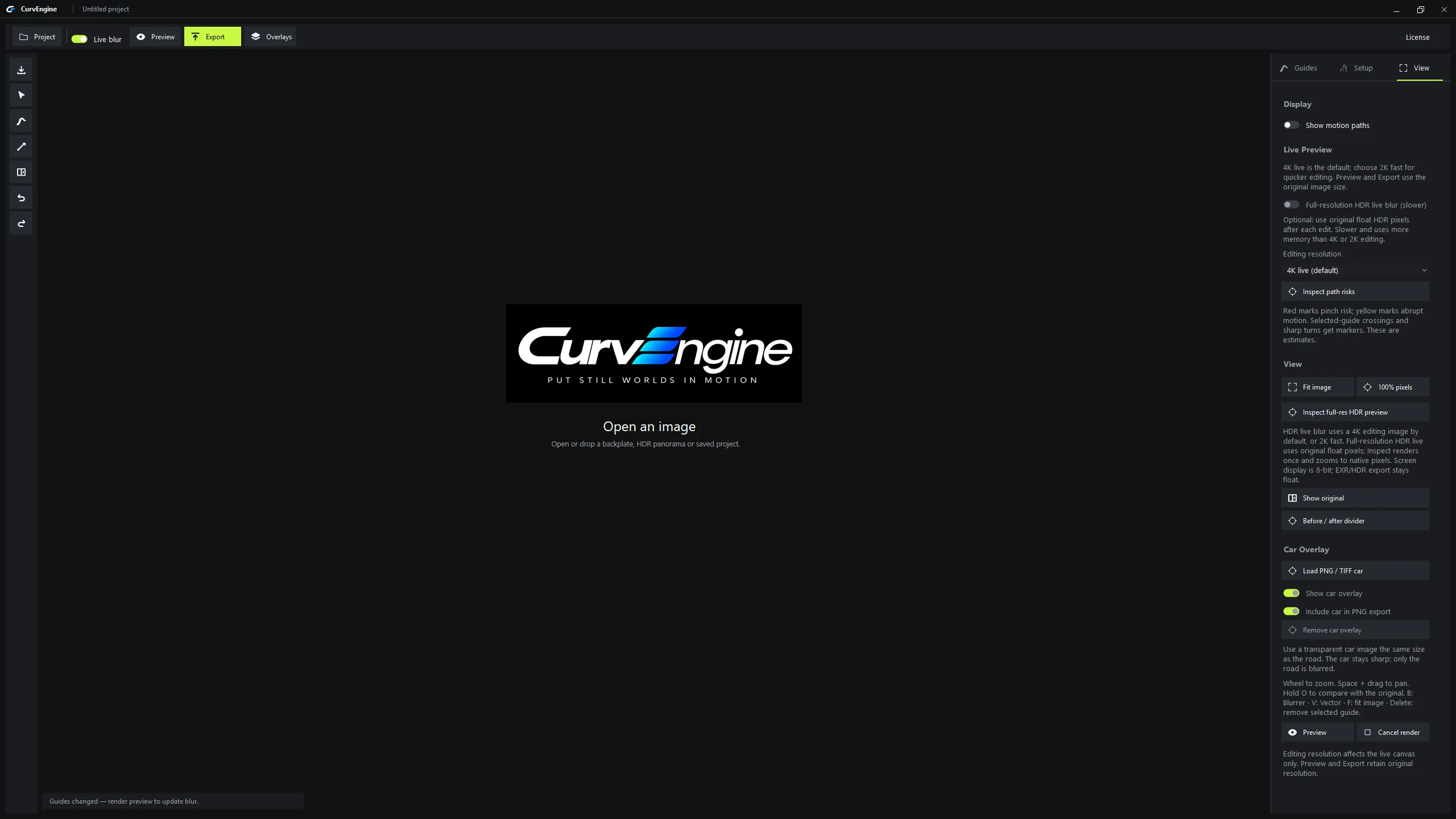
CurvEngine · Guides Guide controls beside the canvas
CurvEngine dark workspace with guide strengths and blur controls in the right sidebar

Shape paths, adjust start and end strengths, and keep guide controls beside the canvas.

05 — Make it yours

Try the workflow.Buy it once.

Free evaluation
14 daysto explore.

Try backplate and HDR panorama blur with your own images before purchasing.

  • Motion-image exports up to 3,000 px on the longest side
  • Logo watermark on PNG, HDR and EXR motion exports
  • No credit card required to start
Download the trial

Windows x64 · Version 1.0.2 · About 84 MiB

Please evaluate the trial before buying. Change-of-mind refunds are not ordinarily offered after license delivery, subject to the checkout terms and mandatory consumer rights. Read the license agreement, refund policy, and privacy notice.

06 — Before you start

A few useful details.

Questions about your workflow? Talk to RawCgi

What do I need to run CurvEngine?

Windows 10 version 2004 or newer, or Windows 11, on a 64-bit Intel or AMD computer. Windows on ARM and macOS are not supported by this installer. The Windows desktop runtime is bundled. Performance depends on your hardware, image size and settings; use the trial to check your workflow.

Does the trial include HDR panorama blur?

Yes. Trial motion exports are capped at 3,000 pixels on the longest side and carry the logo watermark, including HDR and EXR. A watermark changes image data and can affect lighting or reflections when the result is used in a scene.

What changes when I activate?

Activation unlocks clean, full-resolution motion exports. Paste your purchased key into the app's License window. The same installer is used for trial and paid use. Image processing stays on your computer.

Is it a subscription? Which updates are included?

No subscription. Your purchase gives perpetual use of the purchased version. Future major versions, indefinite support, and compatibility with future operating systems are not promised. Any included upgrades are stated separately at purchase.

Can I work offline or move to another computer?

Initial activation requires internet access. After activation, saved license records allow offline use. To transfer, choose “Deactivate this computer” in the License window while online, then activate the other computer with the same key. If your old computer or its records are unavailable, contact support; recovery is not automatic.

What happens when the trial ends?

Motion rendering and export require activation after 14 days. You can still edit and save projects. Your originals are preserved.

Can I use it for client work?

Yes. A purchased license permits personal and commercial work, including client deliverables, provided you have the necessary rights to the source images. Each concurrently activated studio computer requires a license.

Built by an artist. For artists.

Put your next shotin motion.

Product questions, activation help, or feedback.

rawcgi@outlook.com